Free for youth sports teams · Part of the Sideline Sports Network
Away tournaments, planned together.
Sideline Away is a free web app for youth sports teams travelling to tournaments. One link brings in every family: who’s coming, which hotel, when to be at each game, and what everyone’s doing in between. Nothing to download.
Join the First Group See How It Works
- Any youth sport
- Works in any phone browser
- Brings in your TeamSnap roster
- Budgets stay private
- Works with stay-to-play
- Syncs to your calendar
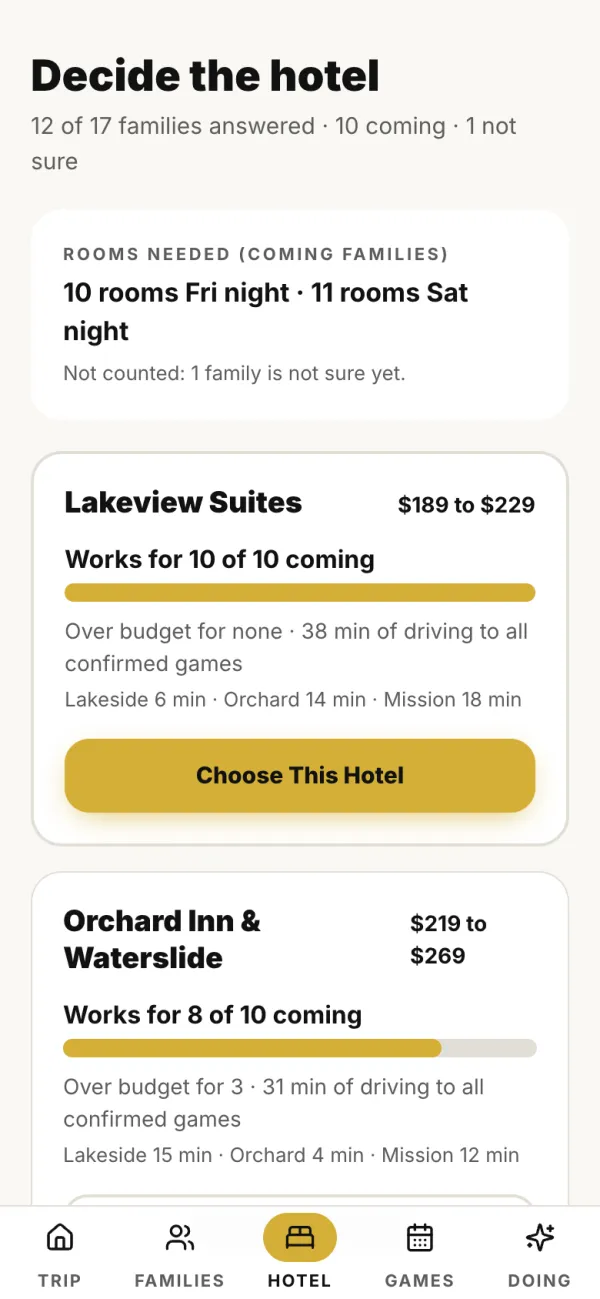
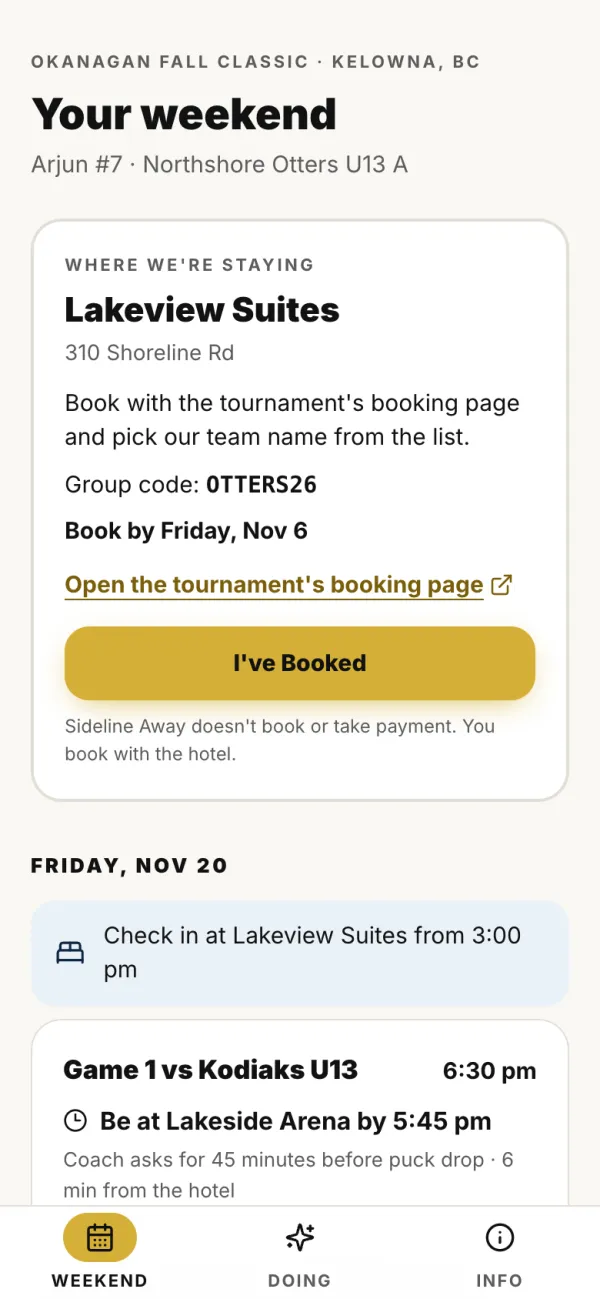
Sample team. Names are made up.
Built by hockey parents. Ready for every sport.
- Hockey
- Ringette
- Baseball
- Softball
- Soccer
- Volleyball
- Basketball
- Lacrosse
- Football
- Any youth sport
Why we built it
17 families. 3 rinks. 1 group chat.
The tournament runs the games. The coach runs the bench. The hotel runs the rooms. And a volunteer team manager ends up coordinating everything else, while every family makes its own connected decisions in a chat that scrolls away.
- Hotel polls that never end. Twenty replies, three spreadsheets, and the quiet family’s budget never comes up.
- The wrong kind of close. A hotel near Saturday’s rink, 25 minutes from Sunday’s 8 am game.
- Who booked? The manager chases families one by one before the deadline.
- Plans that move. The team advances, a game moves, and the dinner, the checkout and the drive all need rethinking.
- New families on the outside. Everyone’s welcome at the pool, but nobody told the family that joined in October.
How it works
One link. One plan. Every family.
-
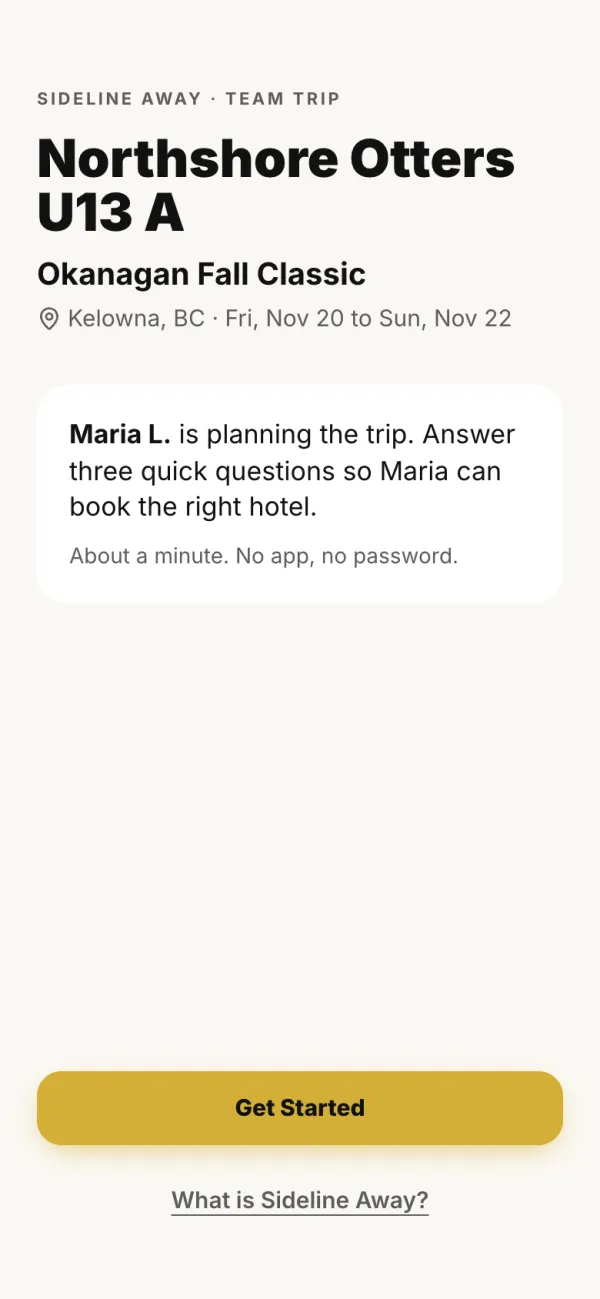
One link for the whole team
Set up your team, or bring the roster in from TeamSnap. Post one link where your team already talks. No app to download.
-
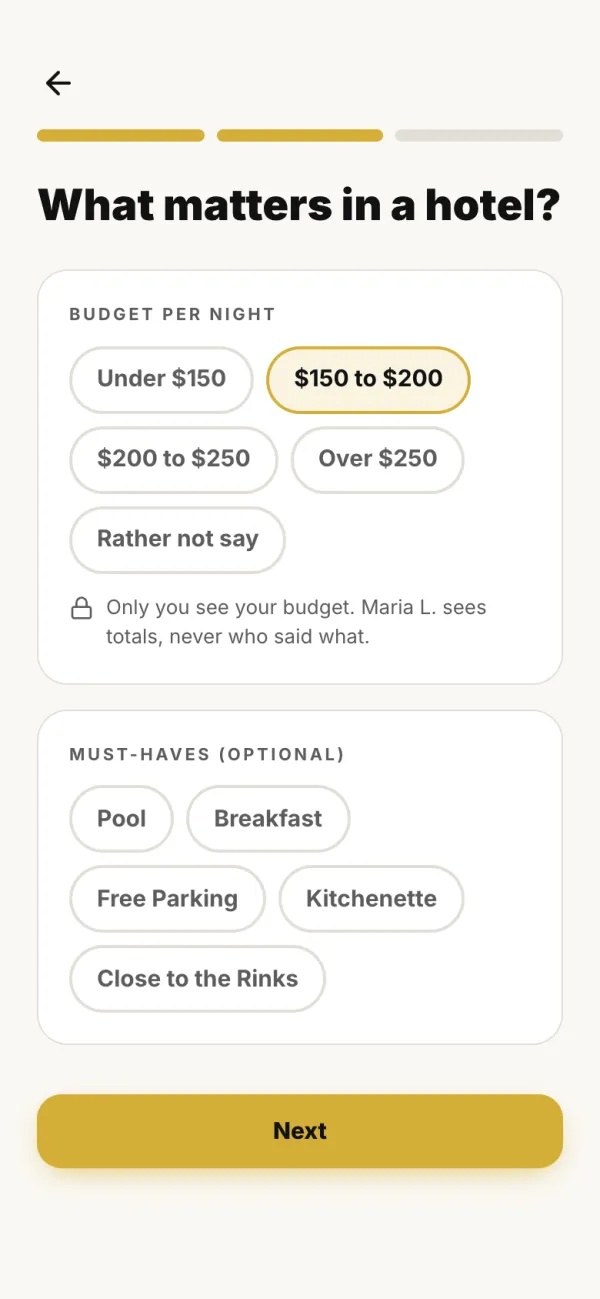
Private answers in about a minute
Are you coming, how many rooms, what matters in a hotel. Budgets stay private. The manager only sees totals.
-
One clear hotel decision
See how many families each hotel works for, budget fit in totals only, and drive time to every venue. The manager decides and publishes.
-
A weekend plan for every family
Where we’re staying and how to book, every game with the time to arrive and the drive from the hotel, the coach’s curfew, and changes shown first. On your own calendar too.
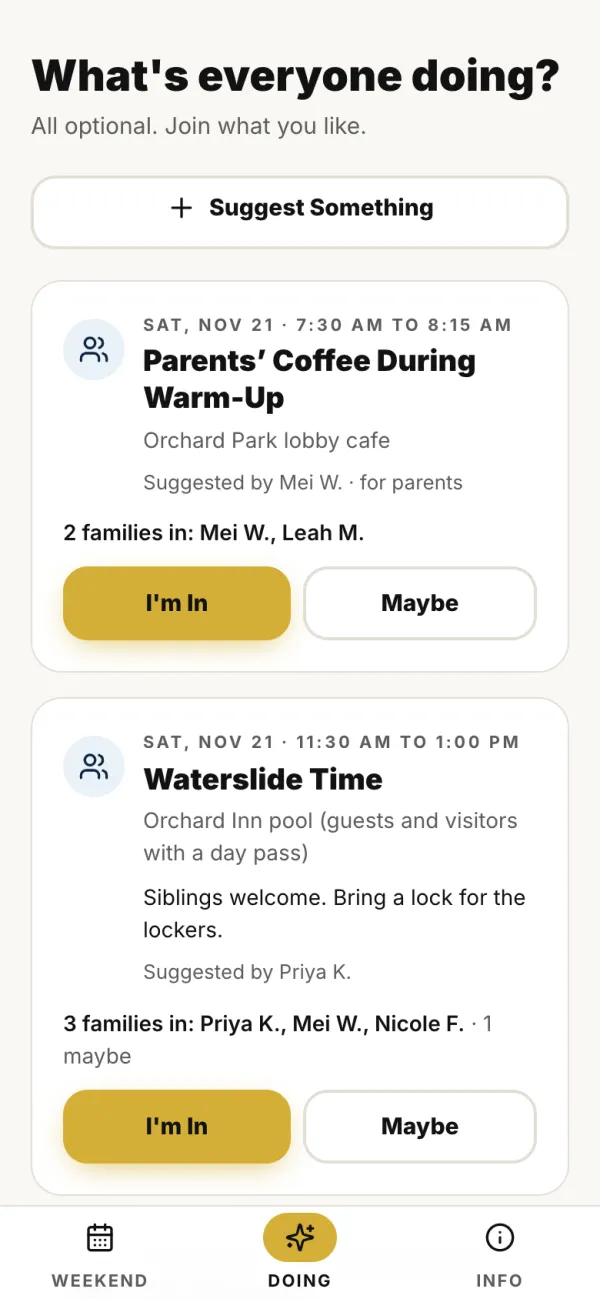
What’s everyone doing?
Between games, anyone can suggest something: pool time, a team dinner, coffee for the parents. Families tap I’m In or Maybe, or simply don’t. There is no list of who said no. If a plan runs into a game arrival time or the coach’s curfew, it says so.
All season long
Your team stays set up. Add the next tournament or away trip and it shows up for every family who has already joined. Nothing to re-send.
Everything for the trip
From the hotel to the packing list.
Private answers, one decision
Families say if they’re coming, which nights, how many rooms and what matters in a hotel. Budgets stay private; the manager sees totals and picks.
A weekend plan for every family
Every game with when to be there, the hotel and how to book, the coach’s curfew, and any change shown first.
Drive and walk times
Times between the hotel, every rink, field or court and the team’s plans, from Google Maps. Anything 20 minutes or less on foot is marked walkable.
Team meals, ordered ahead
Link the restaurant’s menu, collect each person’s order by jersey number with private allergy notes, and send the restaurant one private link.
A packing list for your sport
Pick the expected weather and get a list for your sport to edit and send. Families tick it off privately.
On your own calendar
Games, the trip and your family’s plans in iPhone, Google or Outlook calendars, with addresses. Changes update by themselves.
What’s everyone doing?
Anyone can suggest pool time or a team dinner. I’m In or Maybe, never a list of who said no, and a warning if it runs into a game or curfew.
Told when it matters
A notice when the hotel is picked, a game moves, the packing list is out, or every family has ordered for the team meal.
Not travelling?
Plan the team dinner too.
An end-of-season party, a team dinner, bowling after practice. Anyone on the team, manager or parent, can plan one in Sideline Away, and it takes the same pain out.
- Families say who’s coming, younger siblings included, so you know the real numbers.
- Pre-orders if you want them, from the restaurant’s own menu, listed under each player’s jersey number. The meal manager is told when everyone has ordered.
- Allergies stay private to the family and whoever runs the meal.
- Hand the meal to a parent to run. They send the restaurant one private link with the whole order, and the restaurant can confirm they’ve got it.
- Directions for everyone, one tap to Google Maps.
The team travels together.
Families do the trip their own way.
Team commitments
Games, arrival times, team meetings and curfew. Set by the coach and manager, shown to everyone, and checked against everything else.
Optional, together
Team dinner, the waterslide, a pro game in town. Everyone is welcome, nobody is pressured, and “not this time” needs no reason.
Your own weekend
Free time, family meals, your own plans. Private, and kept in your family’s plan so nothing clashes.
For the team manager
- Bring in your roster from TeamSnap, or type or paste it. Add games in a minute.
- Answers come in without chasing: one link, about a minute per family.
- Rooms counted for you, from the families who are actually coming.
- Hotels compared by drive time to every venue, not just the first.
- See who has booked, and copy a friendly reminder for the ones who haven’t.
- Change a game time once. Every family’s plan and calendar updates, and they’re told.
- Send a packing list for your sport and the weather, and see how many families are packed.
For every family
- No app to download, no password. Open the link, answer, done.
- Your budget is private. The manager sees totals, never who said what.
- Your weekend in one place: hotel, how to book, when to be at each game and how far it is.
- Games and plans on your own phone calendar, kept up to date.
- An easy way to join in, and an easy way not to.
- Nothing is booked or paid in the app. You book with the hotel.
Built for how youth tournaments really work
Many travel tournaments have a stay-to-play rule: teams from out of town must book the tournament’s partner hotels through its own link. Sideline Away works inside those rules. Only the tournament’s hotels are offered, families are sent to the official booking link, and the deadline is front and centre.
Planning your first away trip? Start with our tournament trip checklist.
The Sideline Sports Network
Home games and road trips.
Sideline Away is the second app in the Sideline Sports Network, from the hockey parent who built Sideline DJ. One idea runs through both: take work off the volunteers, and give the kids more of the moments they remember. One Sideline account signs you in to both.
Sideline DJ
Game-day music and player announcements for youth hockey and ringette, run from one phone. Every kid hears their name.
Visit sidelinedj.com ›Sideline Away
Away tournaments, planned together. Hotels, game times, team plans and the fun in between, from one link. Free.
Join the first group ›Raising money for the trip? Sideline DJ’s team fundraising gives your team $10 for each new family whose first Sideline DJ Pass comes through your team’s page. Each app works on its own; you never need one to use the other.
Free for youth sports teams
Get your team in the first group.
Set up your team in a few minutes, or bring it in from TeamSnap. Add your tournament, share one link, and let the answers come to you.
- Free for teams and families
- Any youth sport
- Nothing to download
We’re opening to a first group of teams this season. Tell us about your next tournament or team event and we’ll get your team set up.